/
Whitepaper
/
Solution
Zero Wallet Setup
How OROKAI handles wallet setup — through mobile app or social login — keeping private keys exclusively on the user's side with an export option available at any time.
Wallet Abstraction, Not Custody
Abstraction, not custody
We offer a "zero-setup" mode where a wallet is created on the user's side (e.g., smart wallet/MPC linked to their device identity/email), but keys are not stored by OROKAI.
Frictionless onboarding
Users can start with on-ramp through a licensed partner, then – in a few steps – sign their first transactions without manual seed phrase configuration (while retaining the option to export/recover keys on their side).
Full control
Every operation requires conscious authorization; users can transfer assets to another ecosystem-supported wallet at any time.
"Zero-Setup" Does NOT Mean Custodial
This is one of the most important distinctions in OROKAI's design. Many users (and regulators) might assume that "you don't need to create a wallet" means "OROKAI holds your funds." This is absolutely NOT the case.
SELF-CUSTODY SIMPLIFIED
"Zero-setup" does not mean OROKAI stores keys. It's a utility abstraction over a wallet that remains in the self-custody model.
Comparison
Custodial vs. Non-Custodial Solutions
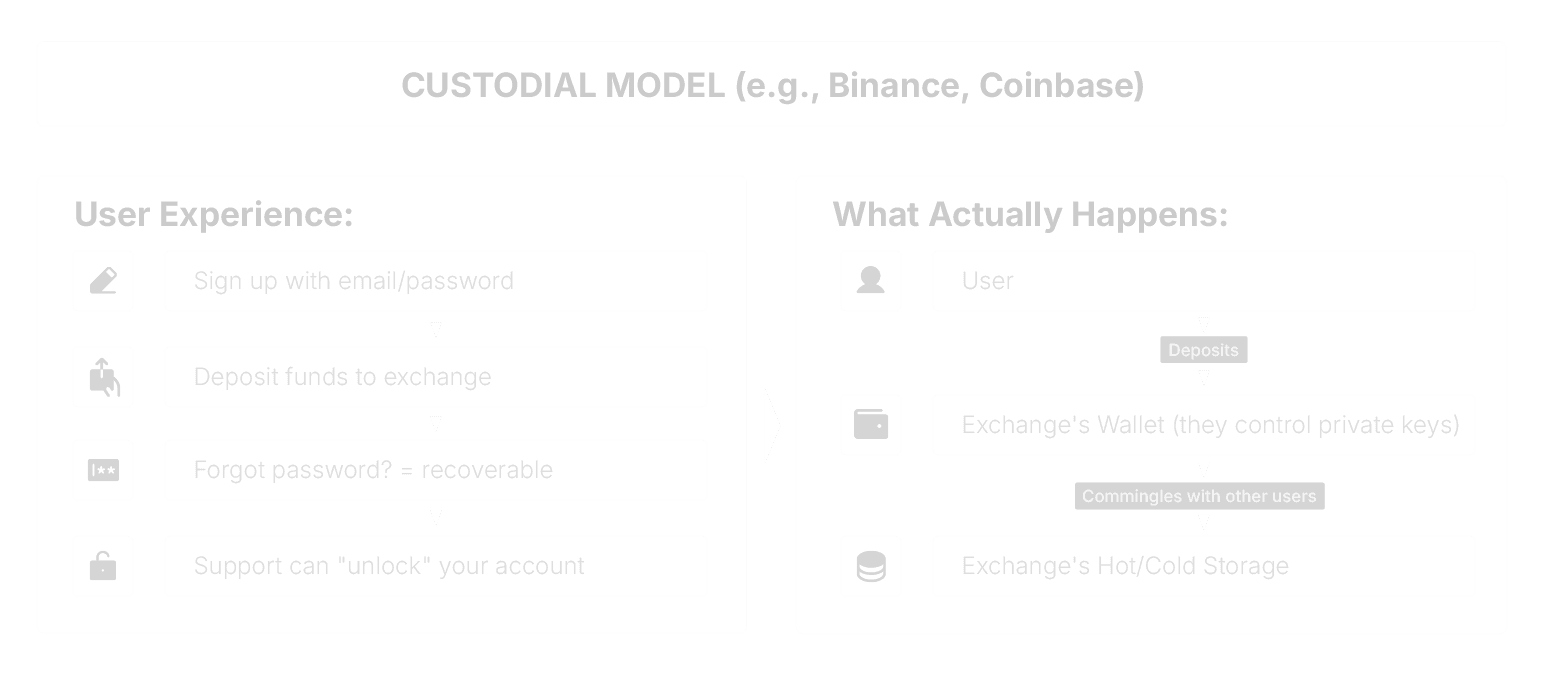
Control: Exchange has your keys
Reversibility: Exchange can freeze/reverse (good & bad)
Regulation: Requires banking/EMI/VASP license
Your risk: If exchange is hacked, you lose funds
Legal status: You are a "creditor" not "owner"
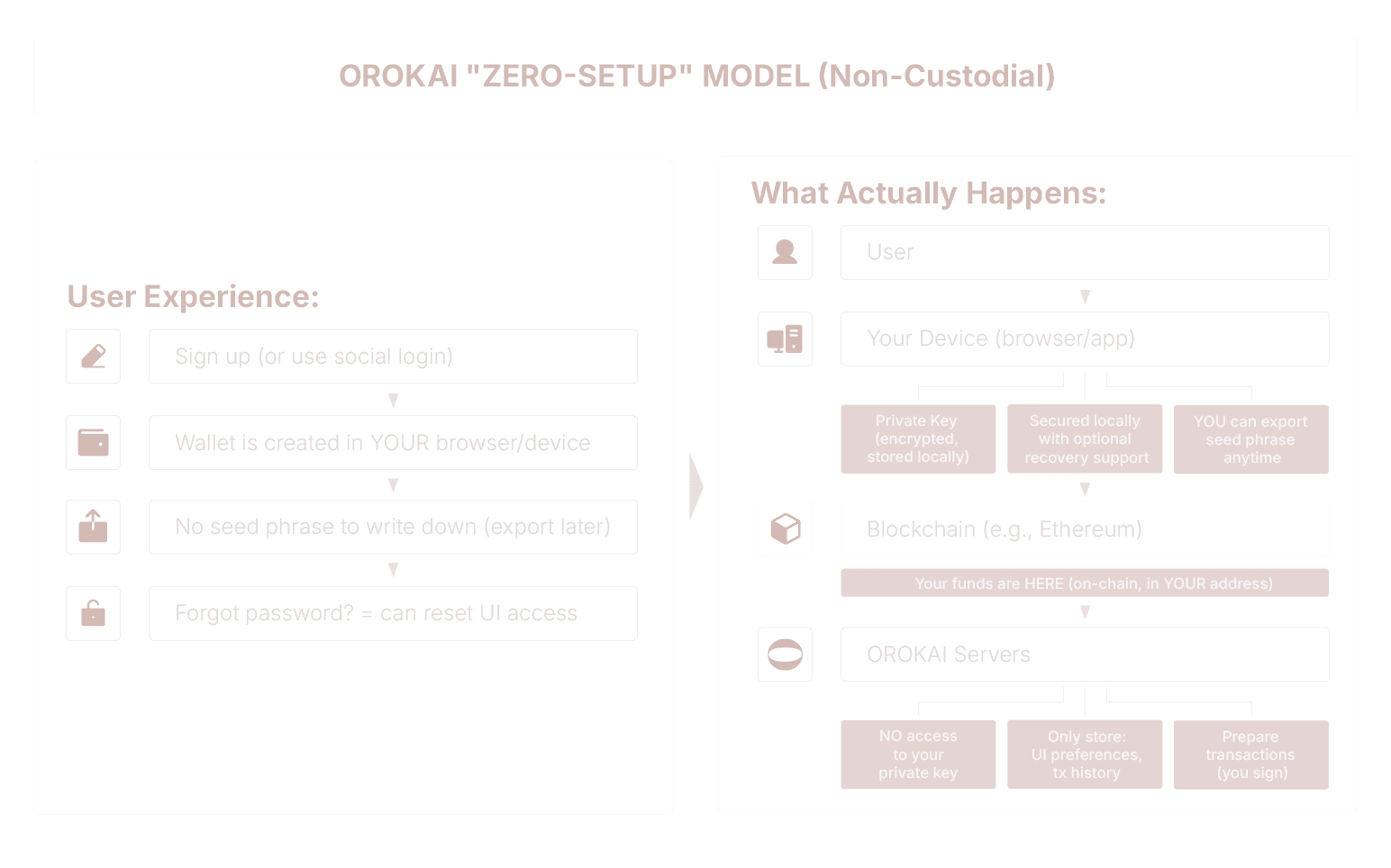
Control: YOU have your keys (on your device)
Reversibility: Blockchain transactions are final
Regulation: Software provider (not financial institution)
Your risk: If OROKAI disappears, your funds are safe
Legal status: You are the "owner" of on-chain assets
How "Zero-Setup" Actually Works (Technical Overview)
Key Questions & Answers
Question | Answer |
|---|---|
"Does OROKAI hold my funds?" | NO. Your funds are on-chain in YOUR address. OROKAI cannot access them. |
"Can OROKAI freeze my account?" | Partially. We can block UI access (e.g., sanctions compliance), but we CANNOT freeze your on-chain funds. You can always access via other wallets. |
"What if OROKAI gets hacked?" | Your funds are safe. Private keys are on YOUR device, not our servers. Hackers could only access metadata (tx history), not keys. |
"What if I lose my device?" | Depends on wallet type. Smart Wallet/MPC = recoverable via email/social. Traditional = need seed phrase backup. We recommend enabling recovery BEFORE transacting. |
"Can I use my OROKAI wallet in MetaMask?" | Yes (if Option C). Export seed phrase → Import to MetaMask. For Smart Wallet/MPC, you'd transfer funds to a new MetaMask address. |
"What if OROKAI shuts down?" | Your funds remain accessible. Export your wallet before shutdown, or access directly via blockchain explorers + any wallet software. |
"Is this regulatory compliant?" | In many jurisdictions, non-custodial wallet and DeFi interface software is generally not treated as a custodian or VASP if it does not control user assets. Exact classification depends on local regulation and supervisory practice. |
Comparison with Other "Easy Wallets"
Wallet Type | Custodial | Seed Phrase | Recovery |
|---|---|---|---|
Coinbase Exchange | Yes | No (they hold) | Email/SMS |
MetaMask | No | Yes (12 words) | Only if you saved |
Argent Wallet | No | No | Social recovery |
Gnosis Safe | No | Multi-sig | Via co-signers |
Ledger | No | Yes (24 words) | Only if you saved |
OROKAI | NO | Optional | Yes (configurable) |
What Happens If You Lose Access
SCENARIO: User loses phone with OROKAI app
Option A/B (Smart Wallet / MPC):
Option C (Traditional Wallet):
OROKAI's Approach:
Default to Option A/B (recoverable) for new users
Show CLEAR warnings about backup responsibility
Offer "Backup now" prompts (but don't force)
Balance UX simplicity with security education
Legal & Regulatory Perspective
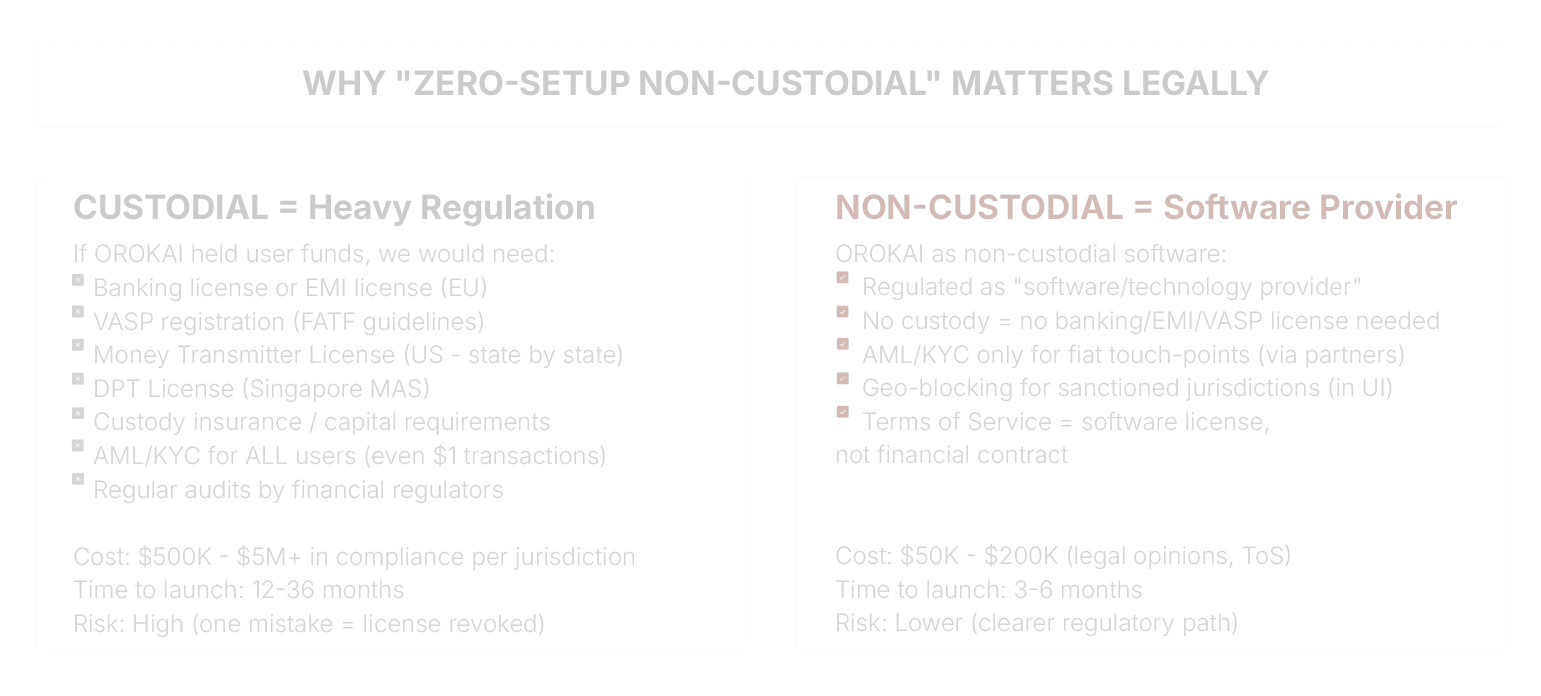
KEY PRECEDENTS:
MetaMask (ConsenSys): Non-custodial, NOT regulated as VASP Uniswap: DEX interface, NOT regulated as exchange Ledger: Hardware wallet, NOT regulated as custodian OROKAI follows this path: Software that HELPS users interact with blockchain, but does NOT control their assets.