/
Whitepaper
/
AI Agent
In-App Agent UI / UX
How the AI Agent continuously processes market and protocol signals — from gas fee spikes to security incidents — and surfaces contextually relevant updates to users, without autonomously adjusting positions or executing any transactions.
Dynamic Context Adaptation
User context is not treated as static. Recommendations are adjusted dynamically based on observable system and market-level signals, combined with the user’s selected profile parameters.
No persistent behavioral profiling or autonomous decision-making is performed.
To support transparency, the adaptation process follows a clearly defined workflow that governs how signals are detected, evaluated, and surfaced to the user.
Agent Workflow Overview
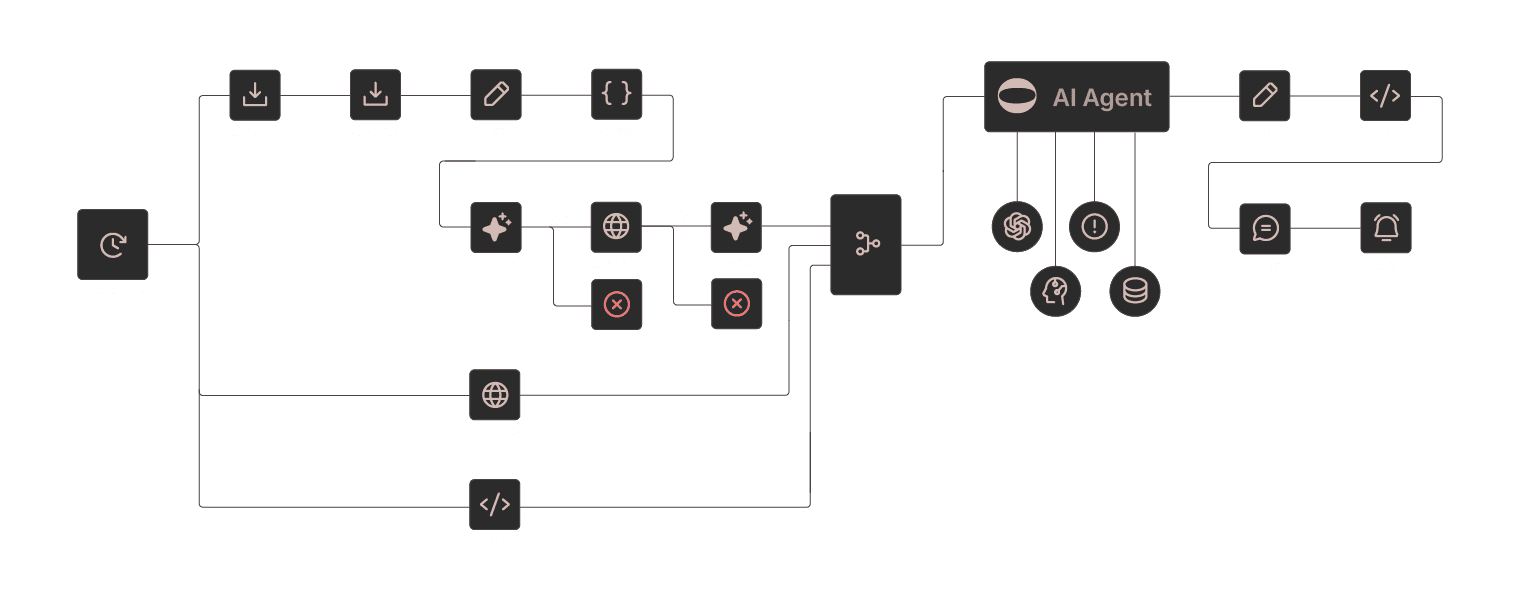
The Agent operates as a context-aware orchestration layer, responsible for evaluating external signals and preparing informational outputs. It does not execute transactions or alter user positions.
The following diagram illustrates the Agent’s high-level workflow, from signal intake to user-visible outcomes.
Market and Protocol Signals (Examples):
The system processes a range of predefined signals. Each signal triggers a scoped system response and, where relevant, a user-facing message.
Network conditions
Ethereum transaction fees exceed predefined thresholds
→ System response: Adjust relative network weighting in visible recommendations
→ User message: "Ethereum transaction fees are currently elevated. Alternative networks with lower execution costs are available."
Protocol risk events
A supported protocol reports a security incident
→ System response: Remove protocol from active recommendations
→ User message: "Protocol X has been excluded from recommendations following a reported security incident."
Protocol lifecycle updates
A new protocol completes a predefined vetting period
→ System response: Make protocol eligible for profile-based inclusion
→ User message: "Protocol Y has completed the vetting process and is now eligible for inclusion based on profile parameters."
Performance metric changes
Reported APY for a previously visible protocol decreases materially
→ System response: Surface updated data and comparable metrics
→ User message:: "The reported APY for Protocol X has decreased to 2.2%. Updated yield data for comparable protocols is available."
IMPORTANT
All adaptations are SUGGESTIONS. You can accept, ignore, or manually override anytime. AI cannot execute changes without your signature.
The Continuous Adaptation Loop
Adaptation is implemented as a continuous, event-driven loop, ensuring that surfaced information remains aligned with current conditions.
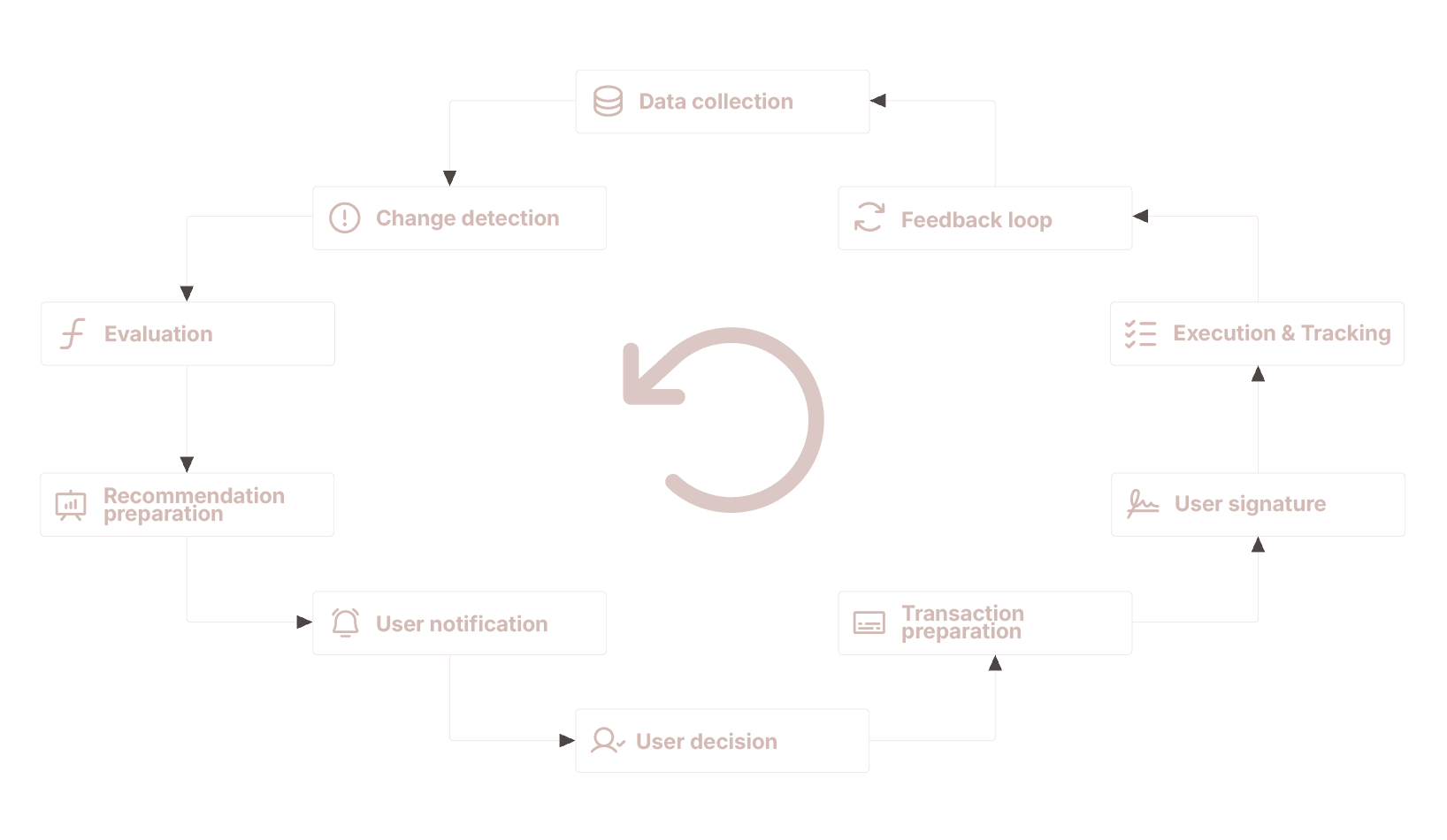
This loop enables timely updates while preserving full user control at every stage.
In-App Agent Chat
The in-app Agent chat serves as an interactive access layer to the adaptation and recommendation system described above. It allows users to query, explore, and contextualize information already available within the application, without transferring decision-making authority to the Agent.
Purpose and Scope
The Agent chat is designed to:
reduce interface friction
improve discoverability of relevant information
provide contextual explanations of system outputs
It does not function as an autonomous advisor, portfolio manager, or execution engine.
All responses are informational and scoped to:
application state
protocol visibility
user-selected preferences and constraints
Predefined Prompts and Guided Queries
To support usability, the chat interface includes a set of predefined prompts that reflect common user intents, such as:
“How can I deploy 10,000 in the current setup?”
“How can I review my current allocations?”
“Why was this protocol surfaced?”
“What changed since my last interaction?”
These prompts are templates rather than instructions. The Agent responds by explaining available options, relevant constraints, and visible data, without recommending specific actions.
Context-Aware UI Guidance
When a user asks questions related to application navigation or available actions, the Agent may provide visual guidance within the interface.
This can include:
highlighting relevant sections
pointing to specific controls or filters
guiding the user through multi-step flows
This guidance is non-executive:
no buttons are pressed automatically
no transactions are prepared or submitted without user initiation
The goal is to help users understand where actions can be taken, not which actions should be taken.
Agent Chat Workflow
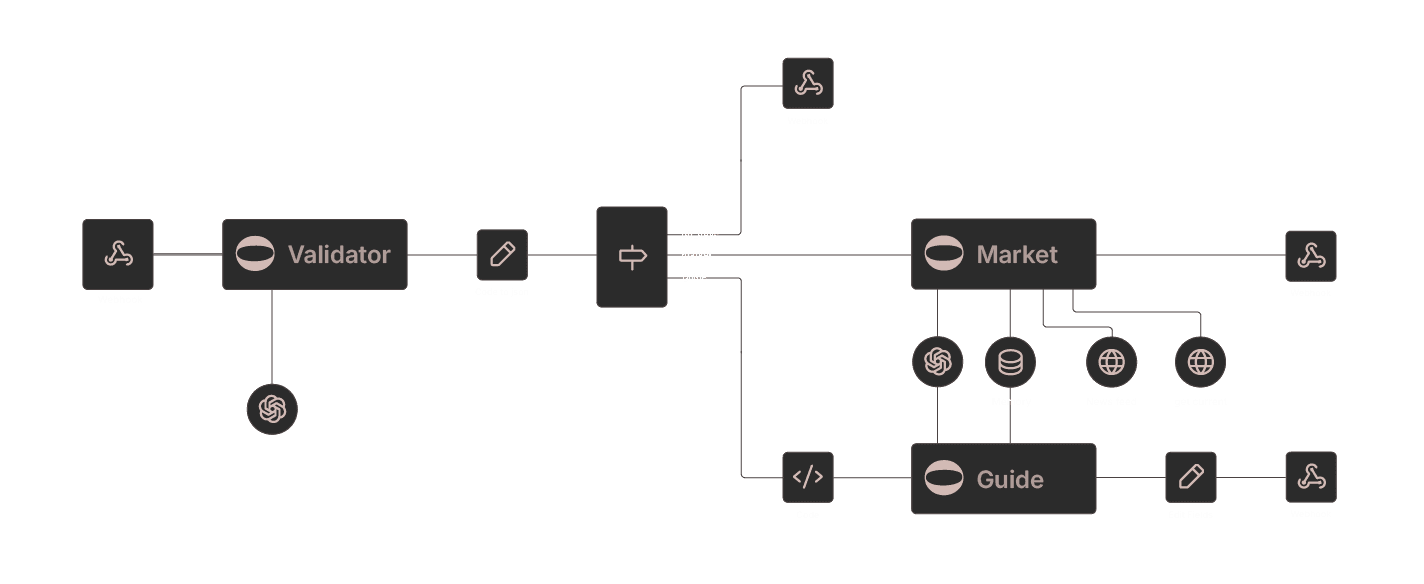
The following diagram illustrates how user queries are processed by the in-app Agent chat and translated into contextual explanations and interface guidance.
Decision Authority and Control
The Agent chat does not:
initiate transactions
alter allocations
override user preferences
perform actions on behalf of the user
Any operational step — including transaction preparation — requires an explicit user action outside the chat interface and a cryptographic signature.
TRANSPARENT
The AI Agent provide better suggestions over time, never acts autonomously – all decisions require explicit user approval.